- Published on
Best 4K Monitors Under $350 in 2026: Top 3 Comparison
- Authors
- Name
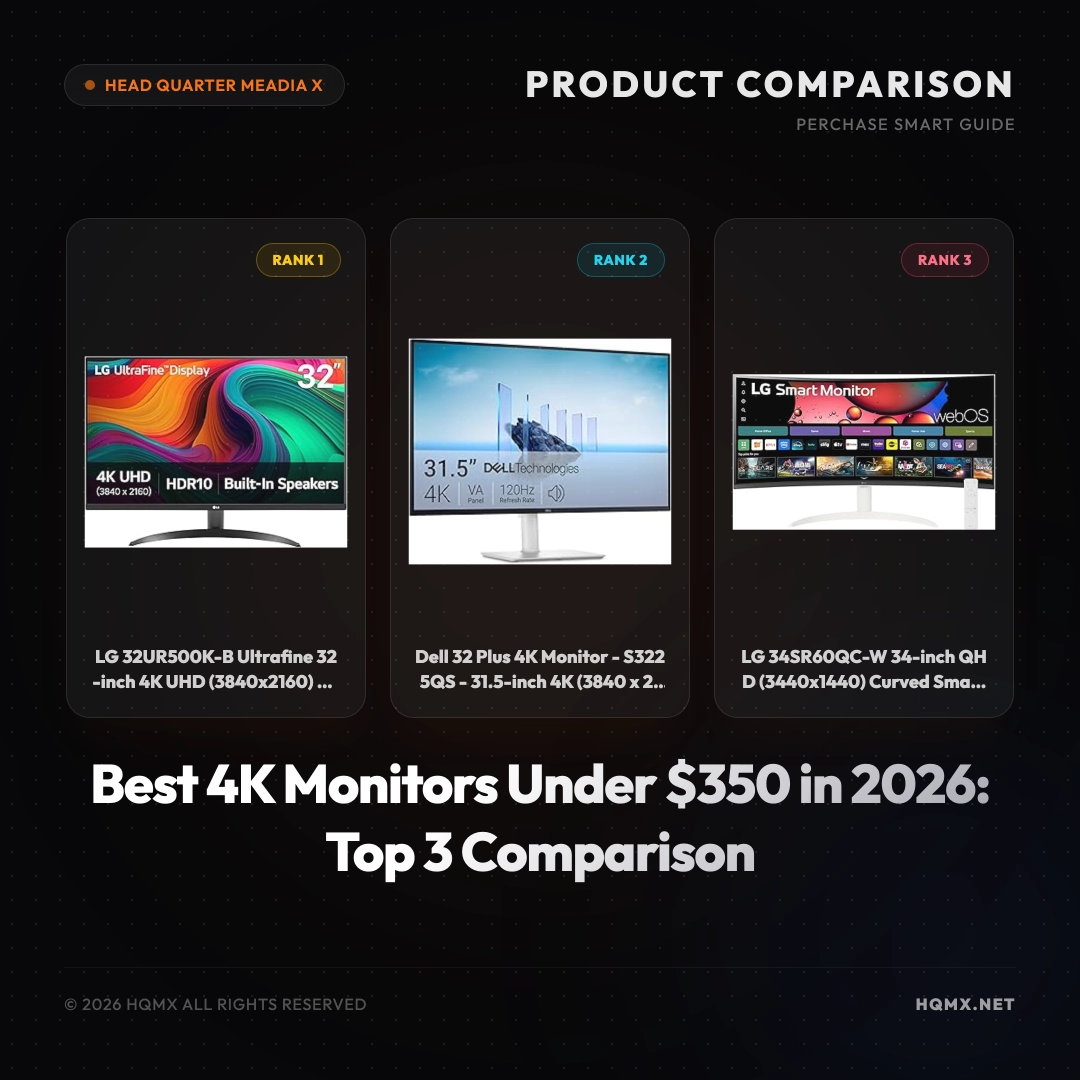
| Key Specifications | LG 32UR500K-B | Dell S3225QS | LG 34SR60QC-W |
|---------------|---------------|--------------|----------------|
| MSRP | $299.99 | $320.00 | $349.99 |
| User Score | 4.5 | 4.5 | 4.5 |
| Screen Size | 32-inch | 31.5-inch | 34-inch |
| Resolution | 3840x2160 (4K UHD) | 3840x2160 (4K UHD) | 3440x1440 (QHD Ultrawide) |
| Panel Type | IPS | VA | VA |
| Refresh Rate | 60Hz | 120Hz | 100Hz |
| HDR | HDR10 | HDR10 | HDR10 |
| Connectivity | HDMIx2, DisplayPort | HDMI, DisplayPort | HDMIx2, USB-C, AirPlay2 |
| Special Features | Borderless Design, Reader Mode | 99% sRGB, 95% DCI-P3, FreeSync Premium | webOS Smart Monitor, Built-in Streaming |
Buyer's Guide: Choosing a Monitor
Before comparing specific models, understand the core technical factors that determine display quality for your use case. These principles apply regardless of brand or MSRP point.
Panel Technology Fundamentals IPS (In-Plane Switching) offers the best color consistency and viewing angles but suffers from IPS glow and lower native contrast (~1000:1). VA (Vertical Alignment) provides 3-5x higher contrast (3000:1-5000:1) with deeper blacks but has narrower viewing angles and slower response times (smearing). OLED delivers per-pixel illumination for infinite contrast and near-instant response but carries burn-in risk and ABL (Automatic Brightness Limiter) constraints.
Refresh Rate vs Response Time Refresh rate (Hz) determines how many frames per second the display can show — 60Hz = 16.7ms frame time, 144Hz = 6.9ms, 240Hz = 4.2ms. Response time (GtG/MPRT) measures pixel transition speed. For competitive gaming, prioritize high refresh rate (144Hz+) with low GtG (<5ms) and minimal overshoot. For productivity, 60-75Hz with good color accuracy often suffices.
Resolution & Pixel Density (PPI) 1080p at 24" = 92 PPI, 1440p at 27" = 109 PPI, 4K at 27" = 163 PPI, 5K at 27" = 218 PPI. Higher PPI means sharper text and UI elements but requires OS scaling. For text-heavy work, ≥110 PPI is recommended. For pure gaming, lower PPI with higher refresh rate may be preferable.
Color Accuracy & Gamut Coverage sRGB (standard web), AdobeRGB (print), DCI-P3 (video/HDR). Factory calibration (ΔE < 2) matters for color-critical work. Wide gamut without proper color management can cause oversaturation in non-color-managed apps.
HDR Implementation True HDR requires ≥1000 nits peak brightness with local dimming (FALD) or OLED. DisplayHDR 400/600 are entry-level; HDR 1000+ delivers meaningful HDR. Many "HDR" monitors only accept HDR signals without proper display capability.
Ergonomics & Connectivity Height/tilt/swivel/pivot adjustment, VESA mount, USB-C with Power Delivery (≥90W for laptops), KVM switching, and adequate port selection (HDMI 2.1, DP 1.4+).
Analysis 1: LG 32UR500K-B Ultrafine 32-inch 4K UHD Computer Monitor
Technical Key Specificationss
The LG 32UR500K-B features a 32-inch IPS panel with a native 4K UHD resolution (3840x2160), delivering sharp details and wide viewing angles. It supports HDR10 for enhanced contrast and color. The monitor includes two built-in 5W speakers, OnScreen Control software for easy settings adjustment, and a Reader Mode that reduces blue light for comfortable reading. The borderless design minimizes bezels for a sleek look. Connectivity options include two HDMI ports and one DisplayPort. The stand offers tilt adjustment, and VESA mount compatible (100x100mm). Dimensions with stand are approximately 28.1 x 20.2 x 9.2 inches and weight is about 13.2 lbs.
Why This Analysis
This LG monitor is an excellent choice for users seeking a no-fuss 4K display at an affordable MSRP. Its IPS panel ensures consistent color accuracy from any angle, making it ideal for office work, photo editing, and general productivity. The built-in speakers and borderless design add value for a clean, modern setup. At $299.99, it offers the best value for a 32-inch 4K monitor under $350.
Strengths and Limitations
- Strengths: Sharp 4K resolution; IPS panel with good viewing angles; affordable MSRP; built-in speakers; borderless design.
- Limitations: Only 60Hz refresh rate; limited ergonomic adjustments (tilt only); no USB-C connectivity.
Analysis 2: Dell 32 Plus 4K Monitor - S3225QS
Technical Key Specificationss
The Dell S3225QS is a 31.5-inch 4K UHD monitor with a VA panel that offers a 1500:1 contrast ratio for deep blacks. It boasts a 120Hz refresh rate and supports AMD FreeSync Premium for smooth gaming. Color coverage includes 99% sRGB and 95% DCI-P3, suitable for color-critical work. The monitor features HDR10 support and Dell's ComfortView technology to reduce blue light. Connectivity includes HDMI, DisplayPort, and a USB hub. The stand provides tilt, swivel, and height adjustment. Dimensions with stand are approximately 28.0 x 21.5 x 9.4 inches and weight is about 16.5 lbs.
Why This Analysis
This Dell monitor stands out for its high 120Hz refresh rate and excellent color accuracy, making it a versatile option for both productivity and casual gaming. The VA panel delivers superior contrast, and the ergonomic stand allows for comfortable viewing. At $320, it offers a premium feature set for the MSRP.
Strengths and Limitations
- Strengths: 120Hz refresh rate; excellent color coverage (99% sRGB, 95% DCI-P3); good contrast ratio; ergonomic stand; FreeSync Premium.
- Limitations: VA panel may have slower response times than IPS; no built-in speakers; higher MSRP than LG.
Analysis 3: LG 34SR60QC-W 34-inch QHD Curved Smart Monitor
Technical Key Specificationss
The LG 34SR60QC-W is a 34-inch ultrawide monitor with a 3440x1440 QHD resolution and a curved VA panel (1500R curvature). It features webOS smart platform, allowing streaming apps like Netflix and YouTube without a PC. The monitor supports HDR10, has a 100Hz refresh rate, and includes built-in 5W speakers. Connectivity includes two HDMI ports, USB-C (with 60W power delivery), AirPlay2, and Bluetooth. It also has a remote control. Dimensions with stand are approximately 32.0 x 18.5 x 10.2 inches and weight is about 16.8 lbs.
Why This Analysis
This LG smart monitor is perfect for users who want an all-in-one entertainment and productivity solution. The ultrawide aspect ratio provides extra screen real estate for multitasking, and the built-in webOS eliminates the need for an external streaming device. The USB-C connection with power delivery simplifies cable management for laptops. At $349.99, it offers unique smart features not found in traditional monitors.
Strengths and Limitations
- Strengths: Ultrawide curved screen for immersive experience; built-in smart TV features; USB-C with 60W power delivery; 100Hz refresh rate; remote control included.
- Limitations: Lower resolution than 4K (QHD only); VA panel may have narrow viewing angles; higher MSRP; limited to 100Hz.
Conclusion
In summary, each monitor caters to different needs within the $250-$350 budget. The LG 32UR500K-B is the best value for a straightforward 4K display with an IPS panel, ideal for office work and general use. The Dell S3225QS is the top choice for users who want a high refresh rate and excellent color accuracy for gaming and creative tasks. The LG 34SR60QC-W is perfect for those seeking an ultrawide curved monitor with built-in smart features for entertainment and productivity. Consider your primary use case to choose the monitor that best fits your workflow.