- Published on
Best 21-22 Inch Monitors Under $100 in 2026: Top 3 Comparison for Gaming & Office
- Authors
- Name
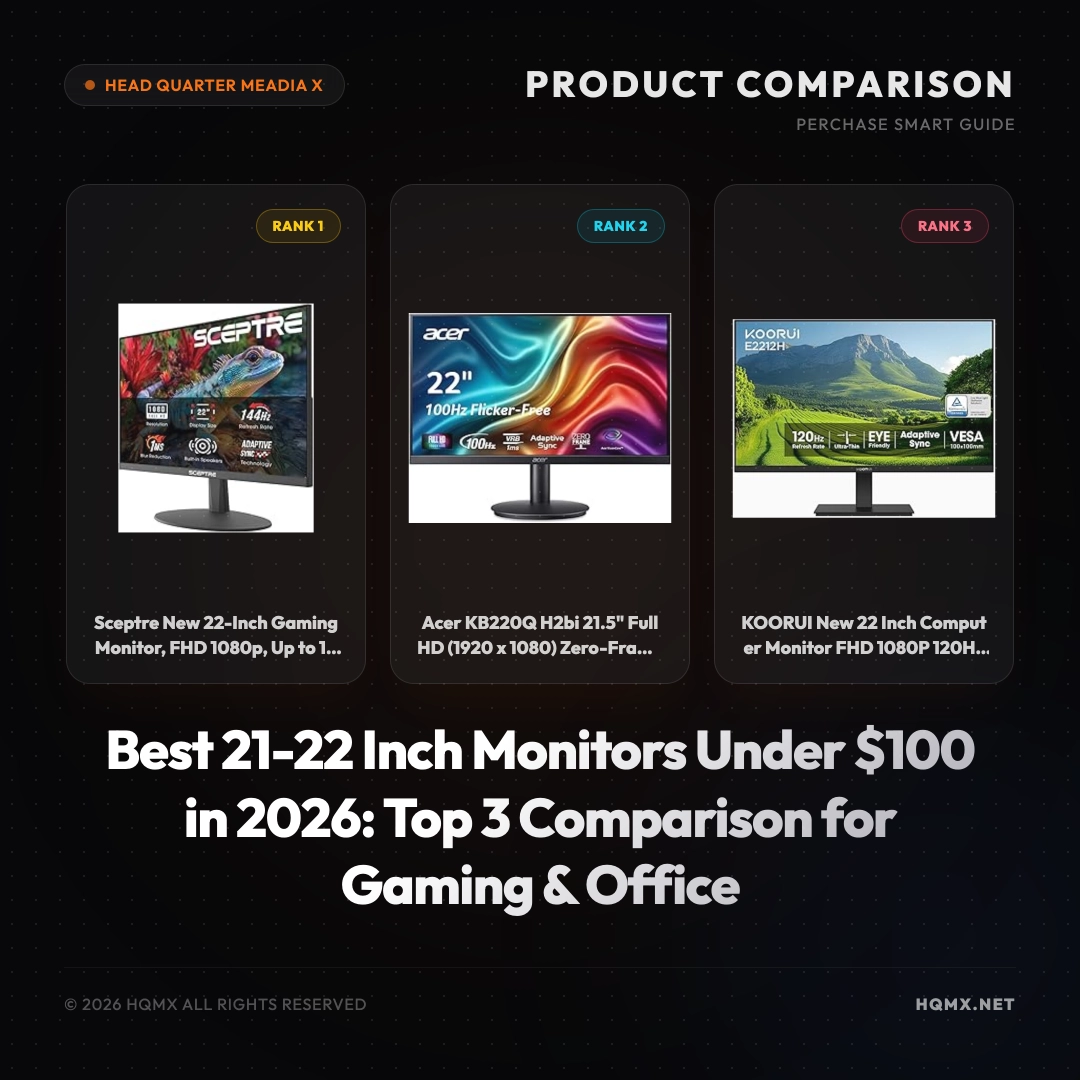
| Key Specifications | Sceptre 22-inch 144Hz | Acer KB220Q 21.5-inch 100Hz | KOORUI 22-inch 120Hz |
|---------------|------------------------|-----------------------------|-----------------------|
| MSRP | $72.97 | $69.99 | $69.99 |
| User Score | 4.5 | 4.5 | 4.5 |
| Screen Size | 22 inch | 21.5 inch | 22 inch |
| Resolution | 1920x1080 (FHD) | 1920x1080 (FHD) | 1920x1080 (FHD) |
| Refresh Rate | 144Hz | 100Hz | 120Hz |
| Panel Type | TN (likely) | IPS | VA |
| Response Time | 1ms (MPRT) | 1ms (VRB) | 1ms (MPRT) |
| Adaptive Sync | FreeSync | FreeSync Compatible | Adaptive Sync |
| Connectivity | HDMI, DisplayPort | HDMI, VGA | HDMI, VGA |
| Built-in Speakers | Yes | No | No |
| VESA Mount | Yes (100x100mm) | No | Yes (100x100mm) |
Buyer's Guide: Choosing a Monitor
Before comparing specific models, understand the core technical factors that determine display quality for your use case. These principles apply regardless of brand or MSRP point.
Panel Technology Fundamentals IPS (In-Plane Switching) offers the best color consistency and viewing angles but suffers from IPS glow and lower native contrast (~1000:1). VA (Vertical Alignment) provides 3-5x higher contrast (3000:1-5000:1) with deeper blacks but has narrower viewing angles and slower response times (smearing). OLED delivers per-pixel illumination for infinite contrast and near-instant response but carries burn-in risk and ABL (Automatic Brightness Limiter) constraints.
Refresh Rate vs Response Time Refresh rate (Hz) determines how many frames per second the display can show — 60Hz = 16.7ms frame time, 144Hz = 6.9ms, 240Hz = 4.2ms. Response time (GtG/MPRT) measures pixel transition speed. For competitive gaming, prioritize high refresh rate (144Hz+) with low GtG (<5ms) and minimal overshoot. For productivity, 60-75Hz with good color accuracy often suffices.
Resolution & Pixel Density (PPI) 1080p at 24" = 92 PPI, 1440p at 27" = 109 PPI, 4K at 27" = 163 PPI, 5K at 27" = 218 PPI. Higher PPI means sharper text and UI elements but requires OS scaling. For text-heavy work, ≥110 PPI is recommended. For pure gaming, lower PPI with higher refresh rate may be preferable.
Color Accuracy & Gamut Coverage sRGB (standard web), AdobeRGB (print), DCI-P3 (video/HDR). Factory calibration (ΔE < 2) matters for color-critical work. Wide gamut without proper color management can cause oversaturation in non-color-managed apps.
HDR Implementation True HDR requires ≥1000 nits peak brightness with local dimming (FALD) or OLED. DisplayHDR 400/600 are entry-level; HDR 1000+ delivers meaningful HDR. Many "HDR" monitors only accept HDR signals without proper display capability.
Ergonomics & Connectivity Height/tilt/swivel/pivot adjustment, VESA mount, USB-C with Power Delivery (≥90W for laptops), KVM switching, and adequate port selection (HDMI 2.1, DP 1.4+).
Analysis 1: Sceptre New 22-Inch Gaming Monitor (E225W-FW144 Series)
Technical Key Specificationss
The Sceptre E225W-FW144 is a 22-inch Full HD (1920x1080) gaming monitor with an impressive 144Hz refresh rate, making it the fastest in this comparison. It features a 1ms MPRT response time to reduce motion blur, and supports Adaptive-Sync (FreeSync) for tear-free gameplay. Connectivity includes HDMI and DisplayPort inputs, plus a 3.5mm audio jack. Built-in speakers are included, though they are basic. The monitor has a sleek machine black design with slim bezels and is VESA mount compatible (100x100mm). It also includes a headphone hook for convenience. The stand offers tilt adjustment but no height or swivel. Power consumption is efficient at around 25W typical.
Why This Analysis
We recommend the Sceptre as the top pick because it offers the highest refresh rate (144Hz) at the lowest MSRP in this group, making it ideal for competitive gaming. The combination of DisplayPort and HDMI provides flexibility for modern GPUs, and the built-in speakers add convenience for casual use. Its FreeSync support ensures smooth visuals with compatible graphics cards.
Strengths and Limitations
- Strengths:
- 144Hz refresh rate for ultra-smooth motion
- Very affordable at $72.97
- Includes DisplayPort and built-in speakers
- VESA mountable for flexible setups
- Limitations:
- TN panel may have narrower viewing angles and less vibrant colors compared to IPS
- No height adjustment or swivel
- Speakers are low quality
Analysis 2: Acer KB220Q H2bi 21.5-Inch Home Office Monitor
Technical Key Specificationss
The Acer KB220Q is a 21.5-inch Full HD IPS monitor designed for home office and everyday use. It boasts a 100Hz refresh rate with 1ms VRB (Visual Response Boost) for reduced ghosting, and supports Adaptive-Sync (FreeSync compatible). The IPS panel delivers wide 178-degree viewing angles and 99% sRGB color gamut for accurate colors. Connectivity is limited to HDMI and VGA ports, with no DisplayPort. The zero-frame design minimizes bezels for a modern look. It offers tilt adjustment only and lacks VESA mount compatibility. The monitor is Energy Star certified and comes with Acer's BlueLightShield and Flickerless technologies to reduce eye strain.
Why This Analysis
We recommend the Acer for users who prioritize color accuracy and viewing angles over raw speed. The IPS panel provides superior image quality for office work, photo editing, and media consumption. Its 100Hz refresh rate still offers smoother motion than standard 60Hz monitors, and the eye-care features make it suitable for long hours.
Strengths and Limitations
- Strengths:
- IPS panel with excellent colors and viewing angles
- 99% sRGB coverage
- 100Hz refresh rate with 1ms VRB
- Eye-care technologies
- Limitations:
- No VESA mount
- No DisplayPort or built-in speakers
- Only 21.5 inches (slightly smaller than 22-inch models)
Analysis 3: KOORUI New 22 Inch Computer Monitor
Technical Key Specificationss
The KOORUI 22-inch monitor features a VA panel with a 120Hz refresh rate and 1ms MPRT response time, offering deep blacks and a high 4000:1 contrast ratio for immersive visuals. It supports Adaptive Sync to reduce screen tearing. Resolution is Full HD 1920x1080. Connectivity includes HDMI and VGA ports, plus an audio out for external speakers or headphones. The ultra-slim design has a thickness of only 7.5mm, and the stand allows tilt adjustment. It is VESA compatible (100x100mm) for wall mounting. The monitor includes a blue light filter and anti-glare coating.
Why This Analysis
We recommend the KOORUI for users who want a balance of gaming performance and media consumption. The VA panel provides better contrast than TN or IPS, making it great for watching movies or playing dark-themed games. The 120Hz refresh rate is a sweet spot between speed and affordability, and the VESA mount adds flexibility.
Strengths and Limitations
- Strengths:
- VA panel with 4000:1 contrast ratio for deep blacks
- 120Hz refresh rate
- Ultra-slim design and VESA mountable
- Affordable at $69.99
- Limitations:
- No built-in speakers
- No DisplayPort (only HDMI and VGA)
- Color accuracy may not match IPS panels
Conclusion
Choosing the right monitor under $100 depends on your primary use. For competitive gamers who want the highest refresh rate and fastest response, the Sceptre 144Hz is the clear winner. If you are a home office user or content creator who values color accuracy and wide viewing angles, the Acer with its IPS panel is the best choice. For those who enjoy a mix of gaming and media with deep contrast, the KOORUI's VA panel offers an excellent middle ground. All three monitors provide outstanding value for their MSRP, and you can't go wrong with any of them based on your specific needs.