- Published on
Best Monitors Under $550 in 2026: Top 3 Comparison
- Authors
- Name
Buyer's Guide: Choosing a Monitor
Before comparing specific models, understand the core technical factors that determine display quality for your use case. These principles apply regardless of brand or MSRP point.
Panel Technology Fundamentals IPS (In-Plane Switching) offers the best color consistency and viewing angles but suffers from IPS glow and lower native contrast (~1000:1). VA (Vertical Alignment) provides 3-5x higher contrast (3000:1-5000:1) with deeper blacks but has narrower viewing angles and slower response times (smearing). OLED delivers per-pixel illumination for infinite contrast and near-instant response but carries burn-in risk and ABL (Automatic Brightness Limiter) constraints.
Refresh Rate vs Response Time Refresh rate (Hz) determines how many frames per second the display can show — 60Hz = 16.7ms frame time, 144Hz = 6.9ms, 240Hz = 4.2ms. Response time (GtG/MPRT) measures pixel transition speed. For competitive gaming, prioritize high refresh rate (144Hz+) with low GtG (<5ms) and minimal overshoot. For productivity, 60-75Hz with good color accuracy often suffices.
Resolution & Pixel Density (PPI) 1080p at 24" = 92 PPI, 1440p at 27" = 109 PPI, 4K at 27" = 163 PPI, 5K at 27" = 218 PPI. Higher PPI means sharper text and UI elements but requires OS scaling. For text-heavy work, ≥110 PPI is recommended. For pure gaming, lower PPI with higher refresh rate may be preferable.
Color Accuracy & Gamut Coverage sRGB (standard web), AdobeRGB (print), DCI-P3 (video/HDR). Factory calibration (ΔE < 2) matters for color-critical work. Wide gamut without proper color management can cause oversaturation in non-color-managed apps.
HDR Implementation True HDR requires ≥1000 nits peak brightness with local dimming (FALD) or OLED. DisplayHDR 400/600 are entry-level; HDR 1000+ delivers meaningful HDR. Many "HDR" monitors only accept HDR signals without proper display capability.
Ergonomics & Connectivity Height/tilt/swivel/pivot adjustment, VESA mount, USB-C with Power Delivery (≥90W for laptops), KVM switching, and adequate port selection (HDMI 2.1, DP 1.4+).
Specifications Comparison
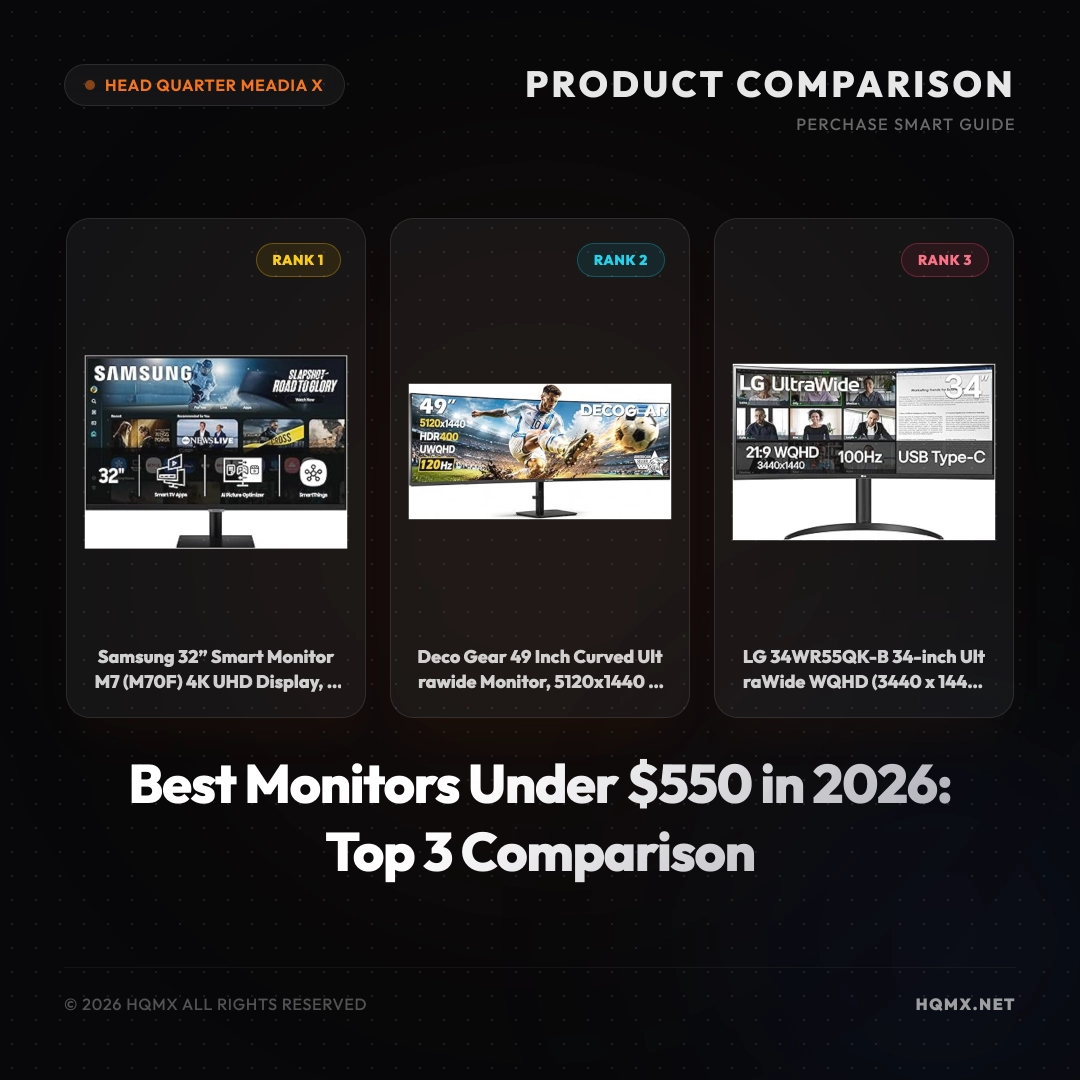
| Feature | Samsung M7 M70F (2026) | Deco Gear 49" Ultrawide | LG 34WR55QK-B |
|---------|------------------------|-------------------------|---------------|
| MSRP | $380.00 | $439.99 | $369.99 |
| User Score | 4.5 | 4.5 | 4.5 |
| Resolution | 4K UHD (3840x2160) | Dual QHD (5120x1440) | WQHD (3440x1440) |
| Screen Size | 32" Flat | 49" Curved (1500R) | 34" Curved |
| Refresh Rate | 60Hz | 120Hz | 100Hz |
| Connectivity | USB-C (65W PD), HDMI, USB-A | USB-C (65W PD), HDMI, DP | USB-C, HDMI, DP |
Analysis 1: Samsung 32” Smart Monitor M7 (M70F) 4K UHD Display
Technical Key Specificationss
The Samsung M7 M70F is a 32-inch 4K UHD (3840x2160) smart monitor featuring Samsung Vision AI. It offers built-in Smart TV apps and Gaming Hub, making it a standalone entertainment hub. The panel is a VA-type with a 60Hz refresh rate and 4ms response time. Connectivity includes USB-C with 65W power delivery, HDMI 2.0, and USB-A ports. It also has built-in speakers and supports HDR10+. The monitor comes with a remote control and has a sleek black design. Dimensions are 28.5 x 8.5 x 20.4 inches with stand, weight 16.5 lbs.
Why This Analysis
We recommend the Samsung M7 M70F as our top pick for its all-in-one versatility. It combines a sharp 4K display with smart TV functionality, eliminating the need for a separate streaming device. The USB-C with 65W PD simplifies laptop connectivity and charging. It's ideal for home offices, student dorms, or anyone wanting a monitor that doubles as a TV.
Strengths and Limitations
- Strengths: 4K resolution for sharp text and images; built-in smart TV apps; USB-C with 65W power delivery; sleek design; comes with remote.
- Limitations: Only 60Hz refresh rate, not ideal for competitive gaming; VA panel has limited viewing angles; no height adjustment stand.
Analysis 2: Deco Gear 49 Inch Curved Ultrawide Monitor
Technical Key Specificationss
The Deco Gear 49-inch curved ultrawide monitor features a 32:9 aspect ratio with Dual QHD resolution (5120x1440), effectively replacing two 27-inch QHD monitors. It uses a 1500R curved VA panel with HDR400 support, 120Hz refresh rate, and 1ms MPRT response time. Adaptive Sync technology reduces screen tearing. Connectivity includes USB-C with 65W PD, HDMI 2.0, DisplayPort, and a built-in KVM switch. It also supports Picture-in-Picture (PIP) and Picture-by-Picture (PBP). The monitor has a sturdy stand with tilt adjustment. Dimensions: 47.2 x 18.5 x 9.4 inches, weight 27.3 lbs.
Why This Analysis
This monitor is a productivity powerhouse. The massive 49-inch screen with 5120x1440 resolution provides ample real estate for multitasking, running multiple windows side-by-side without bezels. The 120Hz refresh rate and 1ms response time also make it suitable for immersive gaming. The USB-C with 65W PD and KVM switch enhance workflow efficiency.
Strengths and Limitations
- Strengths: Immersive 49-inch ultrawide screen; high 5120x1440 resolution; 120Hz refresh rate with Adaptive Sync; USB-C 65W PD and KVM; PIP/PBP support.
- Limitations: Large footprint requires desk space; VA panel has slower pixel response in dark scenes; HDR400 is entry-level.
Analysis 3: LG 34WR55QK-B 34-inch UltraWide WQHD Curved Monitor
Technical Key Specificationss
The LG 34WR55QK-B is a 34-inch curved ultrawide monitor with WQHD resolution (3440x1440) and a 21:9 aspect ratio. It features a VA panel with 100Hz refresh rate and 5ms response time. HDR10 support enhances contrast and color. Connectivity includes USB-C (with 65W PD), HDMI 2.0, and DisplayPort. The stand offers tilt and height adjustment for ergonomic comfort. It also includes Reader Mode for reduced eye strain. Dimensions: 32.0 x 11.5 x 20.2 inches, weight 16.8 lbs.
Why This Analysis
We recommend the LG 34WR55QK-B for its excellent balance of size, resolution, and ergonomics. The 34-inch ultrawide format is great for productivity and immersive gaming without being too overwhelming. The height-adjustable stand is a valuable feature for long work sessions. USB-C with 65W PD keeps your desk clutter-free.
Strengths and Limitations
- Strengths: WQHD resolution provides sharp details; 100Hz refresh rate smooth for gaming and scrolling; height and tilt adjustable stand; USB-C with 65W PD; affordable MSRP.
- Limitations: 5ms response time may not satisfy competitive gamers; HDR10 is basic; no built-in speakers.
Conclusion
Choosing the right monitor depends on your specific needs. If you want a versatile 4K smart monitor for both work and entertainment, the Samsung M7 M70F is the best all-rounder. For extreme multitasking and immersive gaming, the Deco Gear 49-inch ultrawide offers unmatched screen real estate and smooth performance. If you prefer a more compact ultrawide with excellent ergonomics, the LG 34WR55QK-B is a fantastic value pick. All three are top-rated and within your budget.