- Published on
Best Monitors Under $550 in 2026: Top 3 Comparison for Gaming, Work & Entertainment
- Authors
- Name
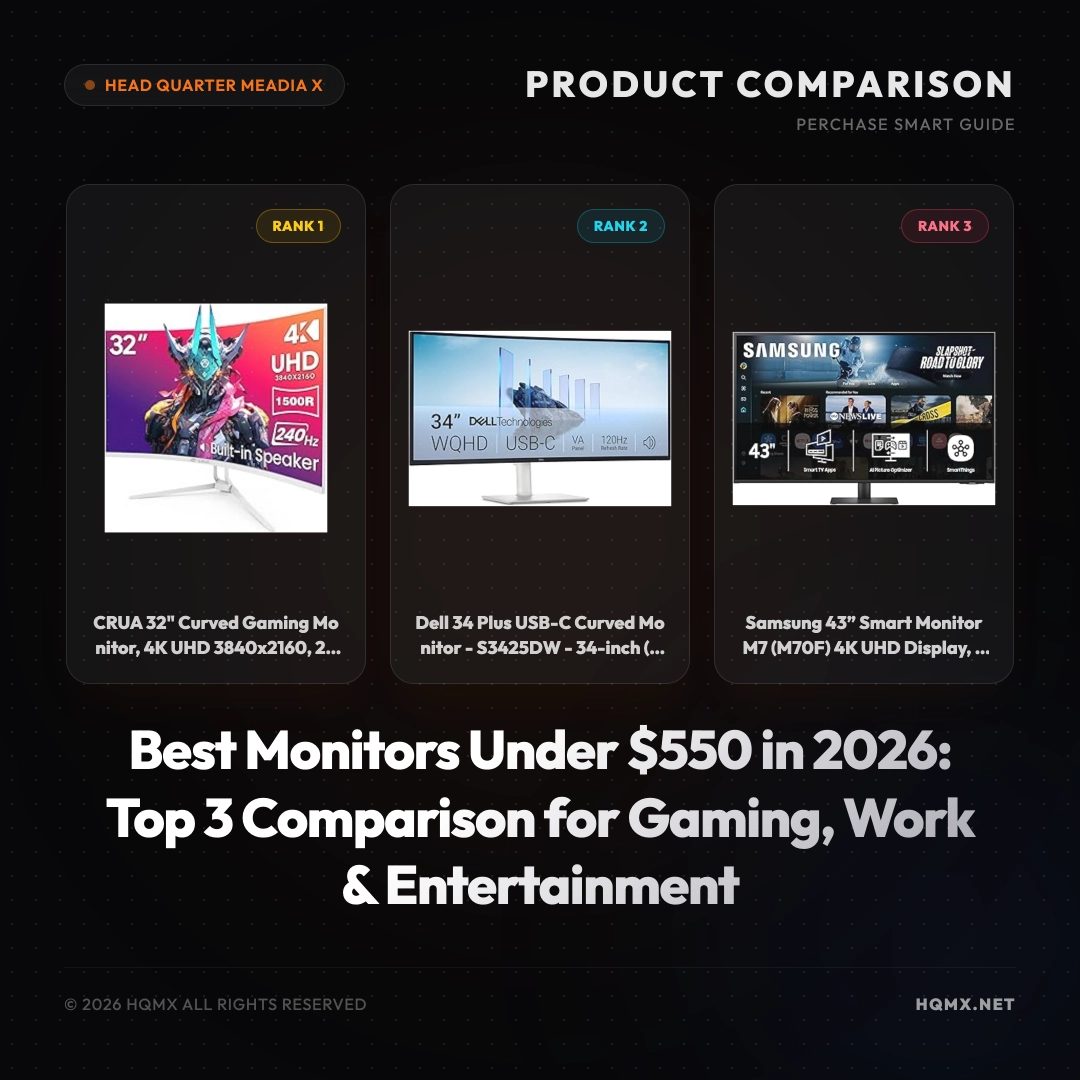
| Key Specifications | CRUA 32" Curved Gaming Monitor | Dell 34 Plus USB-C Curved Monitor | Samsung 43" Smart Monitor M7 |
|---------------|--------------------------------|-----------------------------------|-------------------------------|
| MSRP | $399.99 | $419.99 | $499.99 |
| User Score | 4.5 | 4.5 | 4.5 |
| Screen Size | 32" | 34" | 43" |
| Resolution | 4K UHD (3840x2160) | UWQHD (3440x1440) | 4K UHD (3840x2160) |
| Refresh Rate | 240Hz | 120Hz | 60Hz |
| Panel Type | VA | VA | VA |
| Adaptive Sync | AMD FreeSync | AMD FreeSync Premium | No |
| Color Gamut | 120% sRGB | 99% sRGB, 95% DCI-P3 | Not specified |
| Connectivity | HDMI 2.1, DP 1.4, USB-C? | USB-C (with power delivery), HDMI, DP | USB-C, HDMI, USB-A |
| Built-in Speakers | Yes | Yes | Yes |
| Special Features | 1500R curve, wall mountable | 21:9 ultrawide, 3000:1 contrast | Smart TV apps, Gaming Hub, Samsung Vision AI |
Buyer's Guide: Choosing a Monitor
Before comparing specific models, understand the core technical factors that determine display quality for your use case. These principles apply regardless of brand or MSRP point.
Panel Technology Fundamentals IPS (In-Plane Switching) offers the best color consistency and viewing angles but suffers from IPS glow and lower native contrast (~1000:1). VA (Vertical Alignment) provides 3-5x higher contrast (3000:1-5000:1) with deeper blacks but has narrower viewing angles and slower response times (smearing). OLED delivers per-pixel illumination for infinite contrast and near-instant response but carries burn-in risk and ABL (Automatic Brightness Limiter) constraints.
Refresh Rate vs Response Time Refresh rate (Hz) determines how many frames per second the display can show — 60Hz = 16.7ms frame time, 144Hz = 6.9ms, 240Hz = 4.2ms. Response time (GtG/MPRT) measures pixel transition speed. For competitive gaming, prioritize high refresh rate (144Hz+) with low GtG (<5ms) and minimal overshoot. For productivity, 60-75Hz with good color accuracy often suffices.
Resolution & Pixel Density (PPI) 1080p at 24" = 92 PPI, 1440p at 27" = 109 PPI, 4K at 27" = 163 PPI, 5K at 27" = 218 PPI. Higher PPI means sharper text and UI elements but requires OS scaling. For text-heavy work, ≥110 PPI is recommended. For pure gaming, lower PPI with higher refresh rate may be preferable.
Color Accuracy & Gamut Coverage sRGB (standard web), AdobeRGB (print), DCI-P3 (video/HDR). Factory calibration (ΔE < 2) matters for color-critical work. Wide gamut without proper color management can cause oversaturation in non-color-managed apps.
HDR Implementation True HDR requires ≥1000 nits peak brightness with local dimming (FALD) or OLED. DisplayHDR 400/600 are entry-level; HDR 1000+ delivers meaningful HDR. Many "HDR" monitors only accept HDR signals without proper display capability.
Ergonomics & Connectivity Height/tilt/swivel/pivot adjustment, VESA mount, USB-C with Power Delivery (≥90W for laptops), KVM switching, and adequate port selection (HDMI 2.1, DP 1.4+).
Analysis 1: CRUA 32" Curved Gaming Monitor
Technical Key Specificationss
The CRUA 32" Curved Gaming Monitor is a powerhouse designed for gamers who demand both resolution and speed. It features a 32-inch VA panel with 4K UHD resolution (3840x2160) and an impressive 240Hz refresh rate, ensuring buttery-smooth visuals even in fast-paced titles. The 1500R curvature wraps around your field of view for an immersive experience, while AMD FreeSync support eliminates screen tearing. Color accuracy is excellent with 120% sRGB coverage, making it suitable for content consumption as well. Connectivity includes HDMI 2.1 and DisplayPort 1.4, enabling full 4K at 240Hz on compatible GPUs. It also has built-in speakers for convenience and is VESA mount compatible (100x100mm). Dimensions are approximately 28.3 x 19.7 x 10.2 inches with stand, and weight is around 15.4 pounds.
Why This Analysis
We rank the CRUA first because it offers a rare combination of 4K resolution and 240Hz refresh rate at an affordable MSRP. For competitive gamers who also enjoy single-player titles, this monitor delivers the best of both worlds. The high color gamut and curved design enhance immersion. At $399.99, it provides exceptional value compared to similarly spec'd monitors that cost significantly more.
Strengths and Limitations
- Strengths: 4K at 240Hz is outstanding; AMD FreeSync works well; good color coverage; affordable for the specs; built-in speakers.
- Limitations: VA panel may have slower response times than IPS; limited ergonomics (tilt only); no USB-C connectivity.
Analysis 2: Dell 34 Plus USB-C Curved Monitor - S3425DW
Technical Key Specificationss
The Dell 34 Plus USB-C Curved Monitor (S3425DW) is an ultrawide 34-inch VA panel with a 3440x1440 resolution and a 21:9 aspect ratio, perfect for multitasking and immersive gaming. It runs at up to 120Hz and supports AMD FreeSync Premium for tear-free gameplay. Color accuracy is professional-grade with 99% sRGB and 95% DCI-P3 coverage, making it suitable for photo and video editing. The 3000:1 contrast ratio delivers deep blacks. Connectivity includes USB-C with up to 90W power delivery, HDMI, and DisplayPort. Integrated speakers are present. The stand offers tilt, swivel, and height adjustment. Dimensions are approximately 31.9 x 18.9 x 9.3 inches and weight is about 17.6 pounds.
Why This Analysis
We rank the Dell second because it excels as a productivity monitor with its ultrawide format and USB-C connectivity with power delivery. The color accuracy and contrast ratio are superior for creative work. At $419.99, it's an excellent choice for professionals who need screen real estate and accurate colors.
Strengths and Limitations
- Strengths: Ultrawide 21:9 aspect ratio boosts productivity; USB-C with 90W power delivery; excellent color accuracy (95% DCI-P3); 120Hz refresh rate with FreeSync Premium; adjustable stand.
- Limitations: Only 3440x1440 resolution (not true 4K); 120Hz may not satisfy hardcore gamers; built-in speakers are average.
Analysis 3: Samsung 43" Smart Monitor M7 (M70F)
Technical Key Specificationss
The Samsung 43" Smart Monitor M7 (M70F) is a 43-inch 4K UHD VA display that doubles as a smart TV. It runs Samsung's Tizen OS with built-in streaming apps, Samsung Gaming Hub, and Samsung Vision AI for picture optimization. The refresh rate is 60Hz, suitable for casual gaming and media consumption. Connectivity includes USB-C (65W power delivery), HDMI, and USB-A ports. It has built-in speakers and a remote control. The stand is simple with tilt adjustment, and it is VESA mountable (200x200mm). Dimensions are approximately 38.1 x 23.5 x 9.7 inches and weight is about 25.8 pounds.
Why This Analysis
We rank the Samsung third because it offers the largest screen and smart TV functionality, making it a versatile entertainment hub. For users who want a monitor that can also replace a TV in a bedroom or small living space, this is ideal. At $499.99, it's the most expensive but provides unique features not found in traditional monitors.
Strengths and Limitations
- Strengths: Large 43-inch 4K screen; smart TV apps and Gaming Hub; USB-C with 65W power delivery; good for mixed use (work and entertainment).
- Limitations: Only 60Hz refresh rate; no adaptive sync; limited ergonomics; lower pixel density than smaller 4K monitors.