- Published on
Best Monitors Under $100 in 2026: Top 3 Comparison
- Authors
- Name
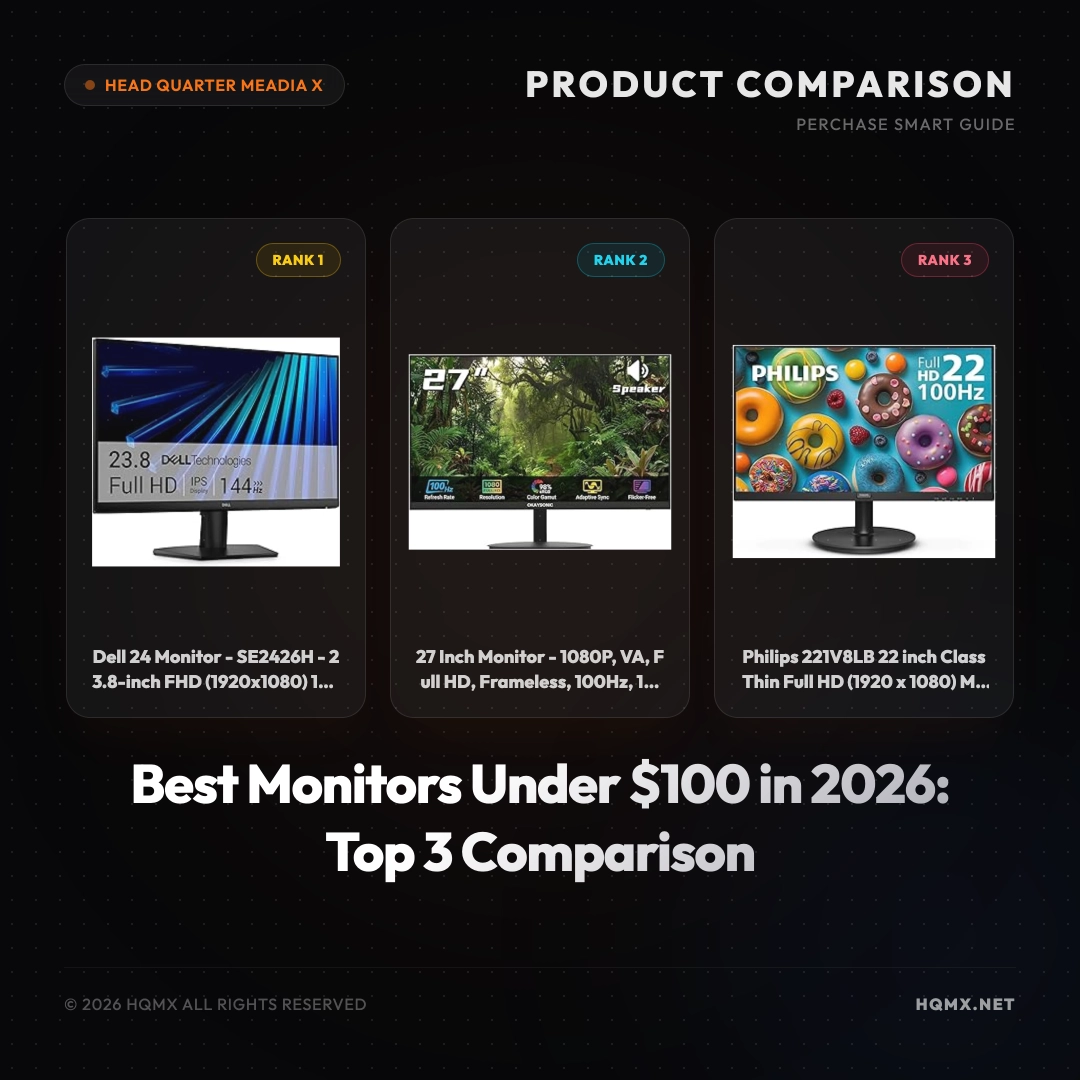
| Key Specifications | Dell SE2426H (Analysis 1) | 27 Inch Frameless (Analysis 2) | Philips 221V8LB (Analysis 3) |
|---|---|---|---|
| MSRP | $99.99 | $99.99 | $69.99 |
| User Score | 4.5 | 4.5 | 4.5 |
| Screen Size | 23.8 inches | 27 inches | 22 inches |
| Resolution | 1920x1080 (FHD) | 1920x1080 (FHD) | 1920x1080 (FHD) |
| Refresh Rate | 144Hz | 100Hz | 100Hz |
| Response Time | 1ms | 1ms | 1ms (implied) |
| Panel Type | IPS | VA | VA |
| Adaptive Sync | AMD FreeSync | Adaptive-Sync | Adaptive-Sync |
| Connectivity | 2x HDMI | 1x HDMI | 1x HDMI, 1x VGA |
| VESA Mountable | No | Yes (100x100mm) | Yes (100x100mm) |
| Special Features | TUV 3-Star, Tilt | Frameless, Low Blue Light | LowBlue Mode, 4 Year Warranty |
Buyer's Guide: Choosing a Monitor
Before comparing specific models, understand the core technical factors that determine display quality for your use case. These principles apply regardless of brand or MSRP point.
Panel Technology Fundamentals IPS (In-Plane Switching) offers the best color consistency and viewing angles but suffers from IPS glow and lower native contrast (~1000:1). VA (Vertical Alignment) provides 3-5x higher contrast (3000:1-5000:1) with deeper blacks but has narrower viewing angles and slower response times (smearing). OLED delivers per-pixel illumination for infinite contrast and near-instant response but carries burn-in risk and ABL (Automatic Brightness Limiter) constraints.
Refresh Rate vs Response Time Refresh rate (Hz) determines how many frames per second the display can show — 60Hz = 16.7ms frame time, 144Hz = 6.9ms, 240Hz = 4.2ms. Response time (GtG/MPRT) measures pixel transition speed. For competitive gaming, prioritize high refresh rate (144Hz+) with low GtG (<5ms) and minimal overshoot. For productivity, 60-75Hz with good color accuracy often suffices.
Resolution & Pixel Density (PPI) 1080p at 24" = 92 PPI, 1440p at 27" = 109 PPI, 4K at 27" = 163 PPI, 5K at 27" = 218 PPI. Higher PPI means sharper text and UI elements but requires OS scaling. For text-heavy work, ≥110 PPI is recommended. For pure gaming, lower PPI with higher refresh rate may be preferable.
Color Accuracy & Gamut Coverage sRGB (standard web), AdobeRGB (print), DCI-P3 (video/HDR). Factory calibration (ΔE < 2) matters for color-critical work. Wide gamut without proper color management can cause oversaturation in non-color-managed apps.
HDR Implementation True HDR requires ≥1000 nits peak brightness with local dimming (FALD) or OLED. DisplayHDR 400/600 are entry-level; HDR 1000+ delivers meaningful HDR. Many "HDR" monitors only accept HDR signals without proper display capability.
Ergonomics & Connectivity Height/tilt/swivel/pivot adjustment, VESA mount, USB-C with Power Delivery (≥90W for laptops), KVM switching, and adequate port selection (HDMI 2.1, DP 1.4+).
Analysis 1: Dell 24 Monitor - SE2426H
Technical Key Specificationss
The Dell SE2426H is a 23.8-inch Full HD monitor with a 1920x1080 resolution, featuring an In-Plane Switching (IPS) panel that delivers wide viewing angles (178 degrees) and accurate colors. It boasts a blazing 144Hz refresh rate and a 1ms response time (MPRT), making it ideal for fast-paced gaming. The monitor supports AMD FreeSync technology to reduce screen tearing. It includes two HDMI ports for flexible connectivity. The display is TUV 3-Star certified for low blue light and flicker-free performance, reducing eye strain. The stand offers tilt adjustment, but it is not VESA mountable. The monitor has a sleek design with thin bezels on three sides.
Why This Analysis
We recommend the Dell SE2426H as the top pick because it offers the highest refresh rate (144Hz) in this MSRP range, combined with an IPS panel that provides superior color and viewing angles. This makes it an excellent choice for both gaming and everyday use. Dell's reputation for reliability and the TUV eye comfort certification add to its value.
Strengths and Limitations
- Strengths: 144Hz refresh rate for smooth motion; IPS panel for vibrant colors and wide viewing angles; AMD FreeSync support; TUV low blue light certification; dual HDMI ports.
- Limitations: Not VESA mountable; only 23.8 inches (smaller than some competitors); limited ergonomics (tilt only).
Analysis 2: 27 Inch Monitor - 1080P, VA, Frameless
Technical Key Specificationss
This 27-inch monitor offers a Full HD 1920x1080 resolution on a VA panel, known for high contrast ratios (typically 3000:1) and deep blacks. It features a 100Hz refresh rate and 1ms response time for smooth visuals. The monitor supports Adaptive-Sync (compatible with FreeSync) to minimize stuttering. It has a frameless design on three sides, making it suitable for multi-monitor setups. Connectivity includes one HDMI port. It comes with low blue light and flicker-free technologies to reduce eye fatigue. The monitor is VESA mountable (100x100mm) for flexible mounting options.
Why This Analysis
We recommend this monitor for users who prioritize screen size and immersion. At 27 inches, it provides a larger viewing area than the Dell, making it great for productivity and entertainment. The VA panel delivers better contrast for movies and games, and the frameless design enhances aesthetics. The VESA mount compatibility adds versatility.
Strengths and Limitations
- Strengths: Large 27-inch screen; VA panel with high contrast; frameless design; VESA mountable; Adaptive-Sync support.
- Limitations: Only 100Hz refresh rate (lower than Dell); single HDMI port; VA panel may have slower pixel response in dark transitions.
Analysis 3: Philips 221V8LB 22 inch Monitor
Technical Key Specificationss
The Philips 221V8LB is a 22-inch Full HD monitor with a VA panel, offering a 100Hz refresh rate and Adaptive-Sync for smooth gameplay. It has a resolution of 1920x1080 and a typical contrast ratio of 3000:1. Connectivity includes one HDMI and one VGA port, allowing legacy device support. The monitor features LowBlue Mode and flicker-free technology for eye comfort. It is VESA mountable (100x100mm) and comes with a 4-year advance replacement warranty, which is exceptional for this MSRP point. The design is simple with a textured back.
Why This Analysis
We recommend the Philips 221V8LB as the budget-friendly option. At $69.99, it offers great value with a 100Hz refresh rate, VA contrast, and a generous warranty. It is ideal for users on a tight budget who still want a decent monitor for work and casual gaming. The VGA port is useful for older computers or projectors.
Strengths and Limitations
- Strengths: Very affordable; 100Hz refresh rate; VA panel for good contrast; VESA mountable; 4-year advance replacement warranty; includes VGA port.
- Limitations: Smallest screen size (22 inches); lower resolution density; only one HDMI port; basic stand with tilt only.
Conclusion
Choosing the right monitor under $100 depends on your priorities. If you value speed and color accuracy for gaming, the Dell SE2426H with its 144Hz IPS panel is the best choice. For those who want a larger screen for immersive work or entertainment, the 27-inch VA monitor offers excellent value. And if you need to save money without sacrificing essential features, the Philips 221V8LB provides a reliable experience with an unbeatable warranty. All three monitors are top-rated and verified, ensuring you make a smart purchase.